

 Track Hyperbaric Outcomes
Heads Up and Oxyhelp have partnered to bring you powerful ways to track hyperbaric outcomes across your practice.
Easily analyze hyperbaric therapy outcomes at the individual, cohort and practice level.
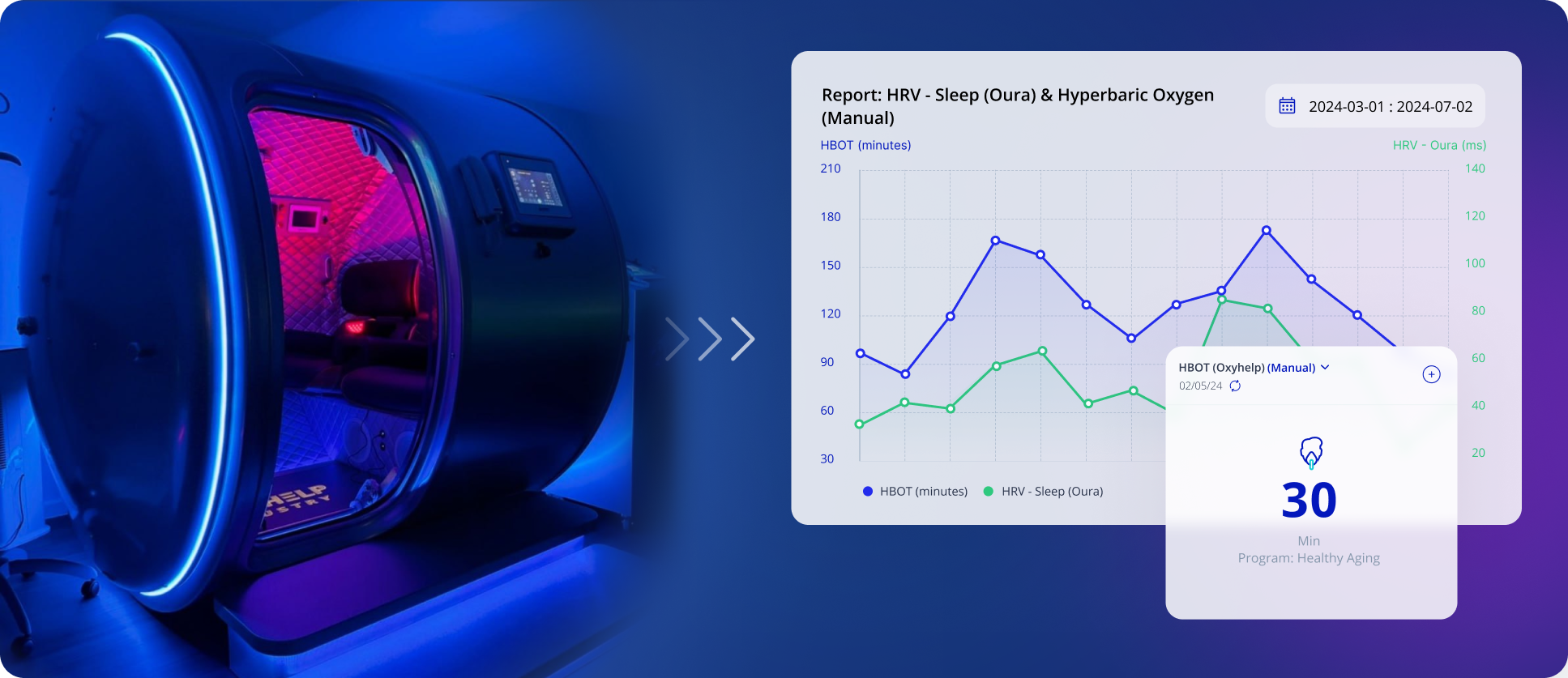
See the Big Picture
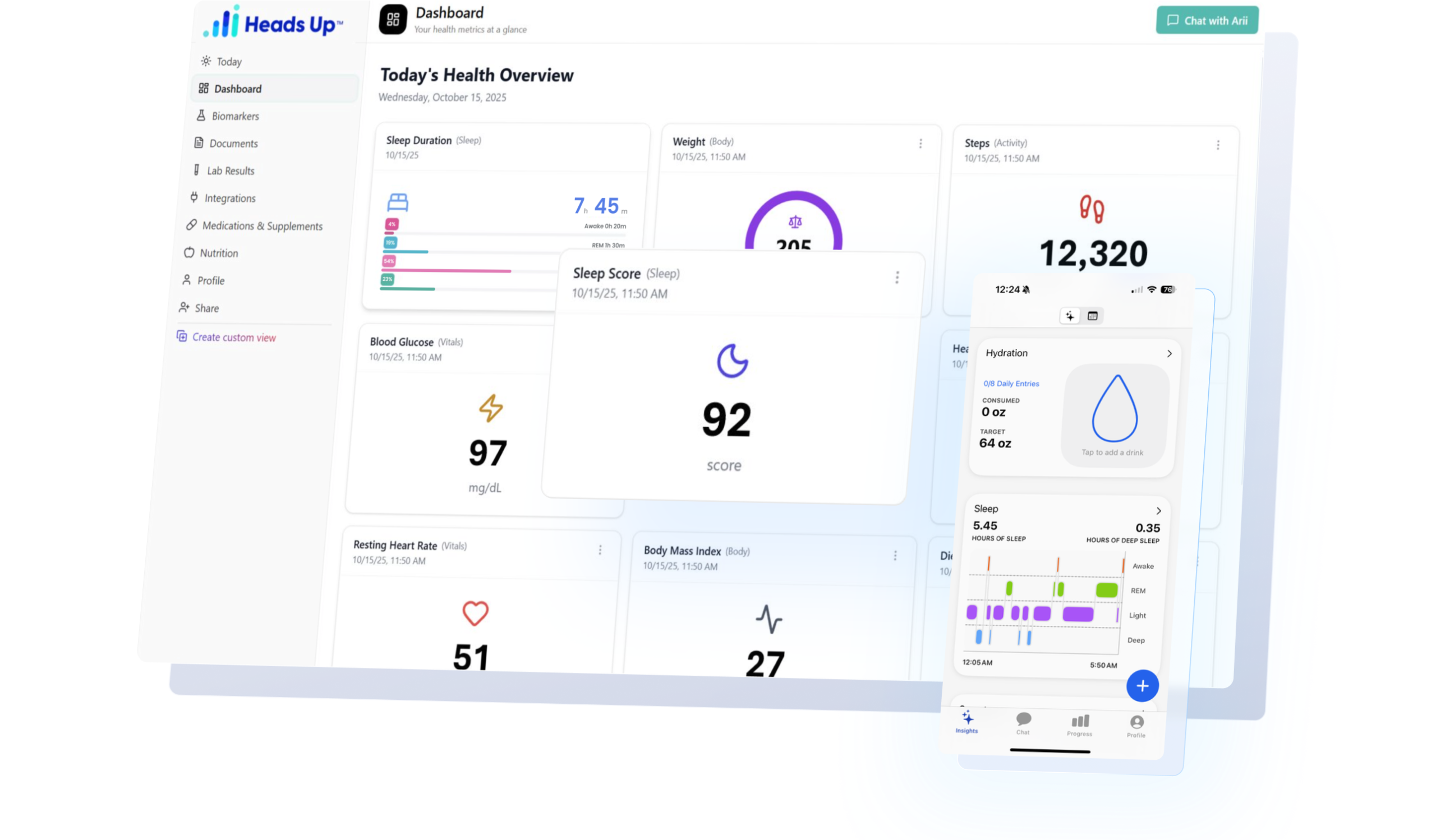
Simple and powerful dashboards help HBOT users see their health metrics improving as they engage in HBOT therapy.
-
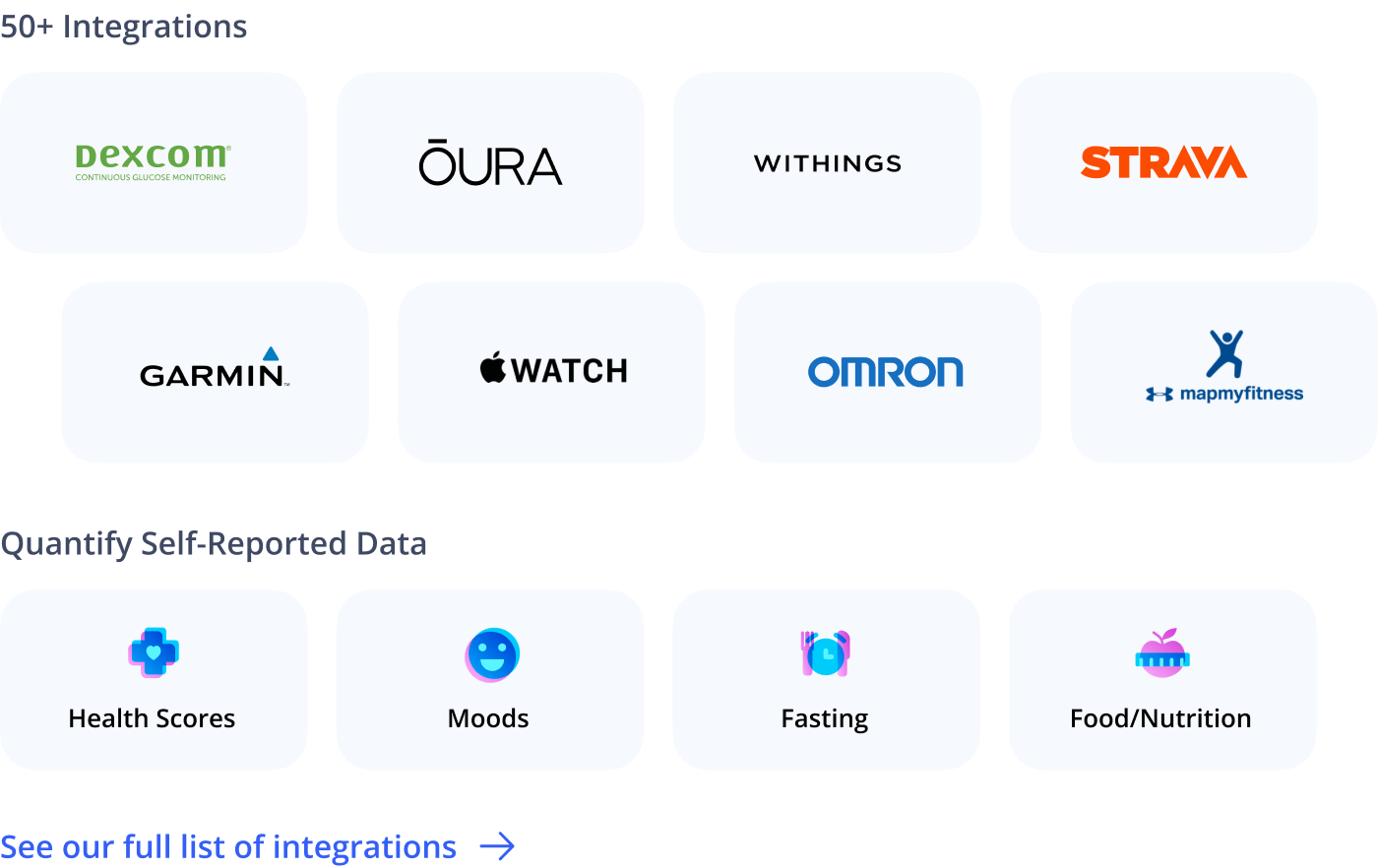
Integrate data from FDA-approved medical devices (e.g Dexcom, Libre), advanced wearables (Oura Ring, Withings), health apps (Strava, MyFitnessPal) and more.
-
Track important blood markers including lipids, inflammation, Hba1c and more.
-
Show your clients how HBOT therapy can improve sleep, blood pressure, HRV, blood oxygen, body composition and more.
Real Time Health Optimization
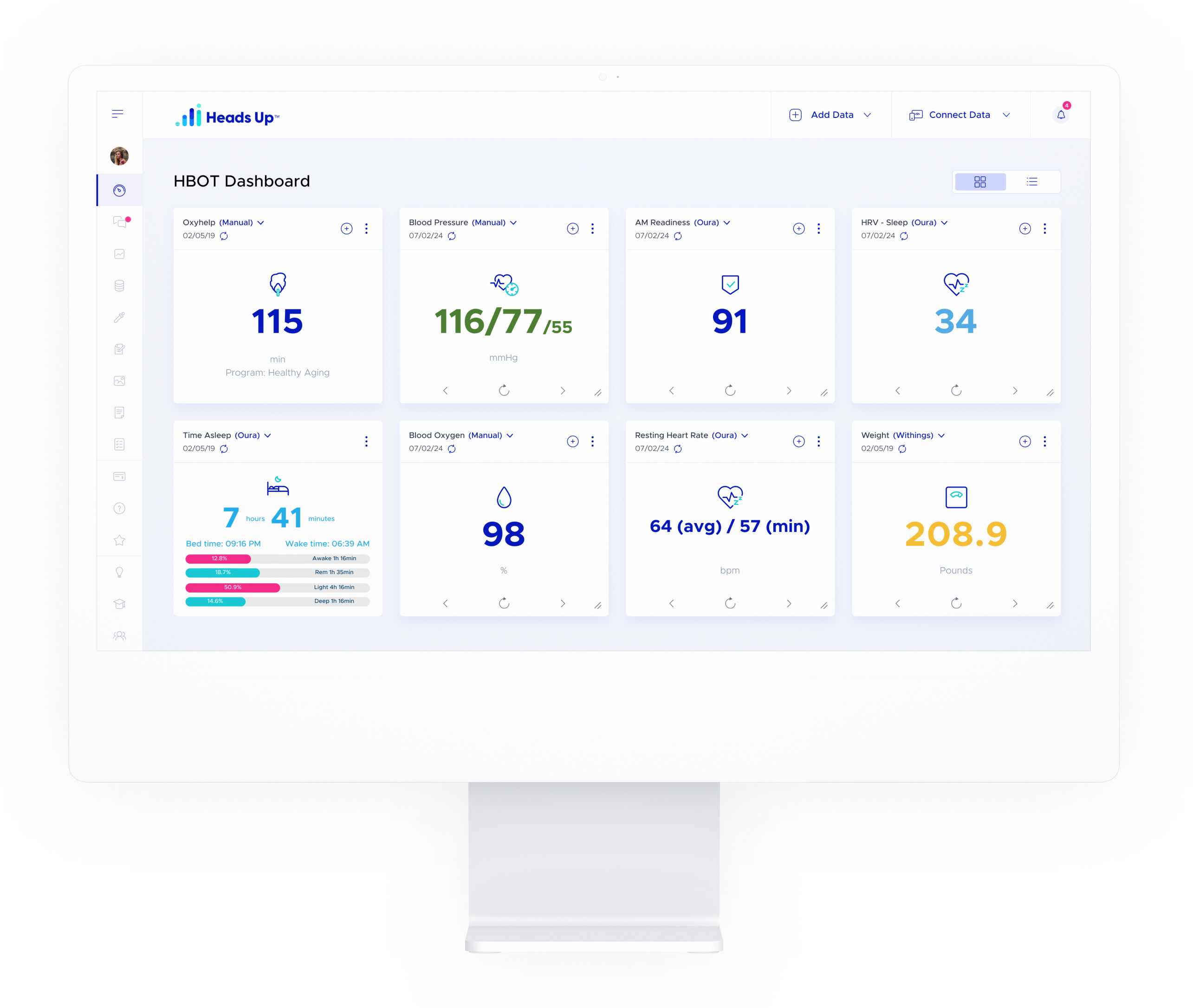
Gone are the days of waiting months between appointments to assess health status
- In the era of connected health, decisions are made in minutes using the latest digital health technology and real-time biofeedback.
- Identify the lifestyle factors driving better individual health outcomes.
- Build personalized dashboards to remotely capture any type of patient-generated data.
- Track and optimize health in real-time using the latest digital health tech.
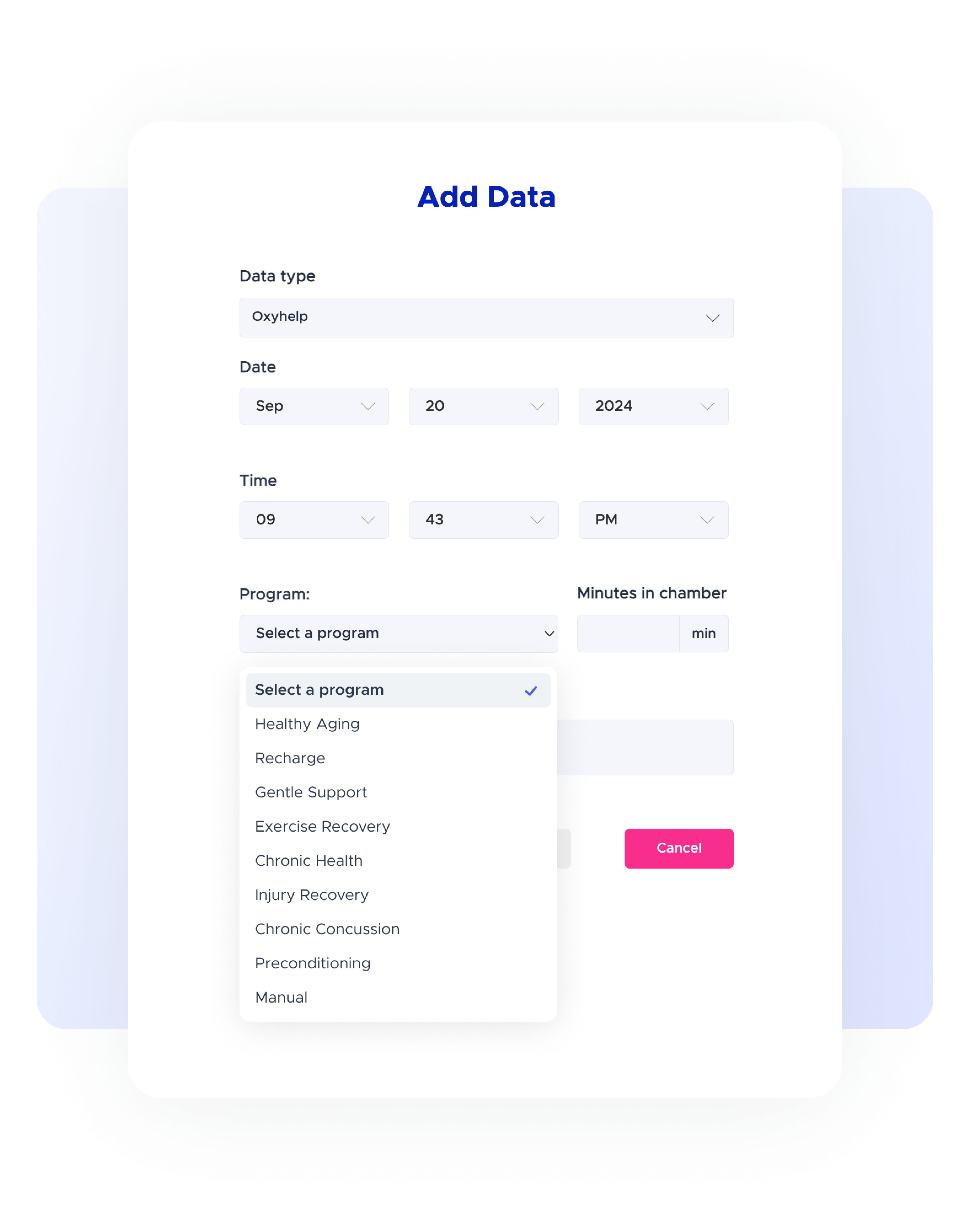
Easy Session Logging
- Quickly and easily capture Oxyhelp chamber usage across each individual user.
- Oxyhelp protocols are pre-loaded for fast and easy entry
- Track important metrics for each user
- Total dive time
- Total sessions
- Pressure and other settings
Spot the Trends
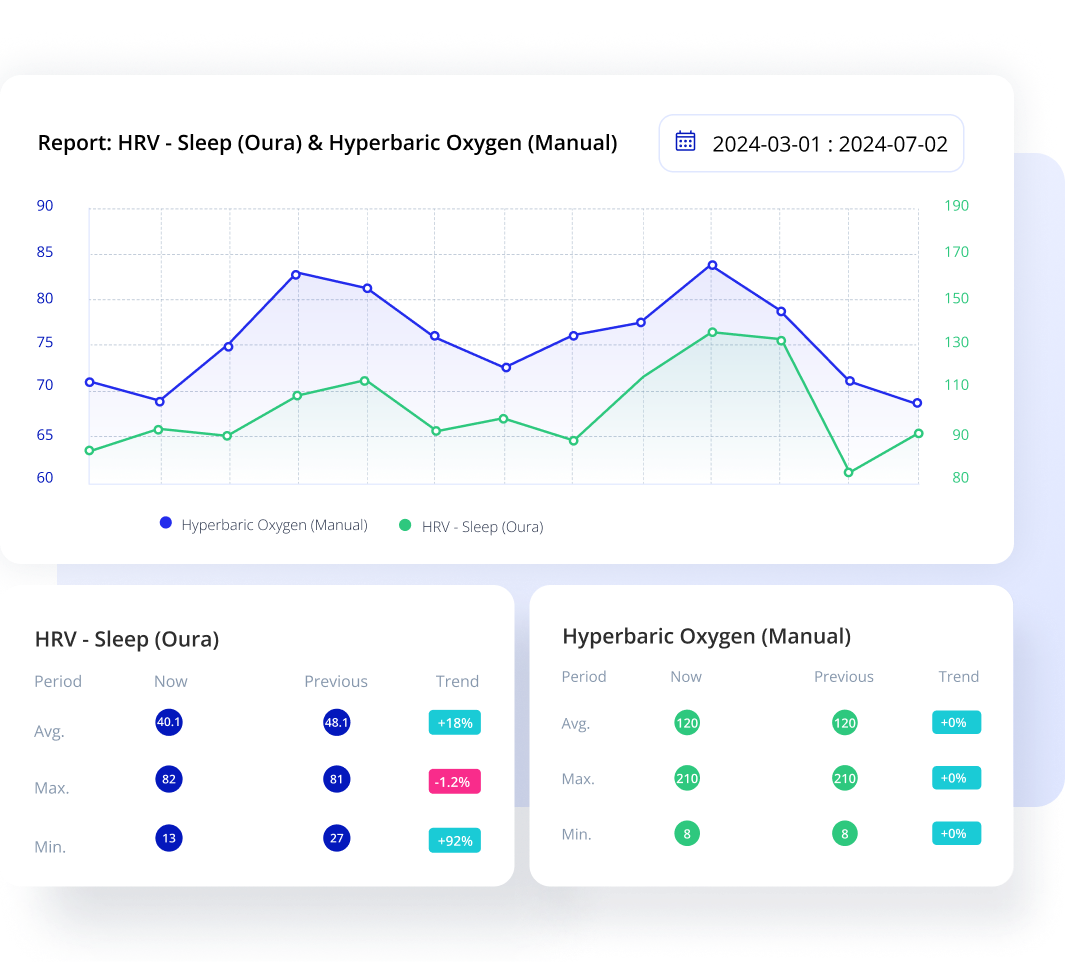
Track the long-term benefits of HBOT therapy with powerful reporting tools.
Easily create customized progress reports to show clients how their health is improving over time.

Joel K
Scottsdale, AZ
I’ve connected my Oura ring and tracked all my Oxyhelp sessions on the dashboard. After 140 hours of dive time I’ve seen my average HRV improve by 28.5%
Interested?
Track Usage Across the Practice
- Centralized reporting gives you full business intelligence across your HBOT practice.
- Track chamber usage across the entire practice
- Track HBOT usage for each indidividaul
FAQ
How do I log the Oxyhelp sessions for my users?
Either the user or a member of the clinic staff can log sessions for each user.
Oxyhelp chambers have several predefined sessions a user can choose from (Health aging, Recharge, Injury recovery etc.). Do I have to enter the details of each specific session?
No. We’ve preloaded these sessions and we automatically store the duration of each session.
If I want to log a manual session for a given user, can I enter custom time and pressure settings?
Yes – you can choose to enter a manual session and the web form allows you to enter any values for duration and pressure
Which devices can my users connect to their dashboards for tracking outcomes?
You can find the full list of supported devices here: https://headsuphealth.com/integrations/
Does the software have a portal for users to track their data?
Yes, the system has a portal for each user so they can follow their progress as they engage in HBOT therapy.
Can the software be custom branded for my clinic?
- Yes – full custom branding options are available
- What other programs do we support?
- Our industry-leading connected health platform has the flexibility to assist with a wide range of use cases:
-
Clinical and wellness research studies
-
Custom solutions to meet your needs
-
Sports, high performance and health optimization
-
Concierge medicine
-
Remote Patient Monitoring (RPM)
-
Integrative and precision medicine
Join Heads Up Today!
Contact our team to set up a discovery call.
Book a walkthrough
See Heads Up with your own patients in mind
- ✓A 30-minute walkthrough built around your practice and patients
- ✓See your own data sources connected: labs, wearables, devices and EHR
- ✓Pricing and onboarding plan for your client numbers
“With Heads Up, I can synthesize complex data in a clear way that helps both me and the patients make better decisions.”


